Who's on it?

SwimmingNoa · 5:00 PM
Confirmed by Dad

DanceLou · 5:30 PM
Confirmed by Mom
- Swim bag
- Swim cap
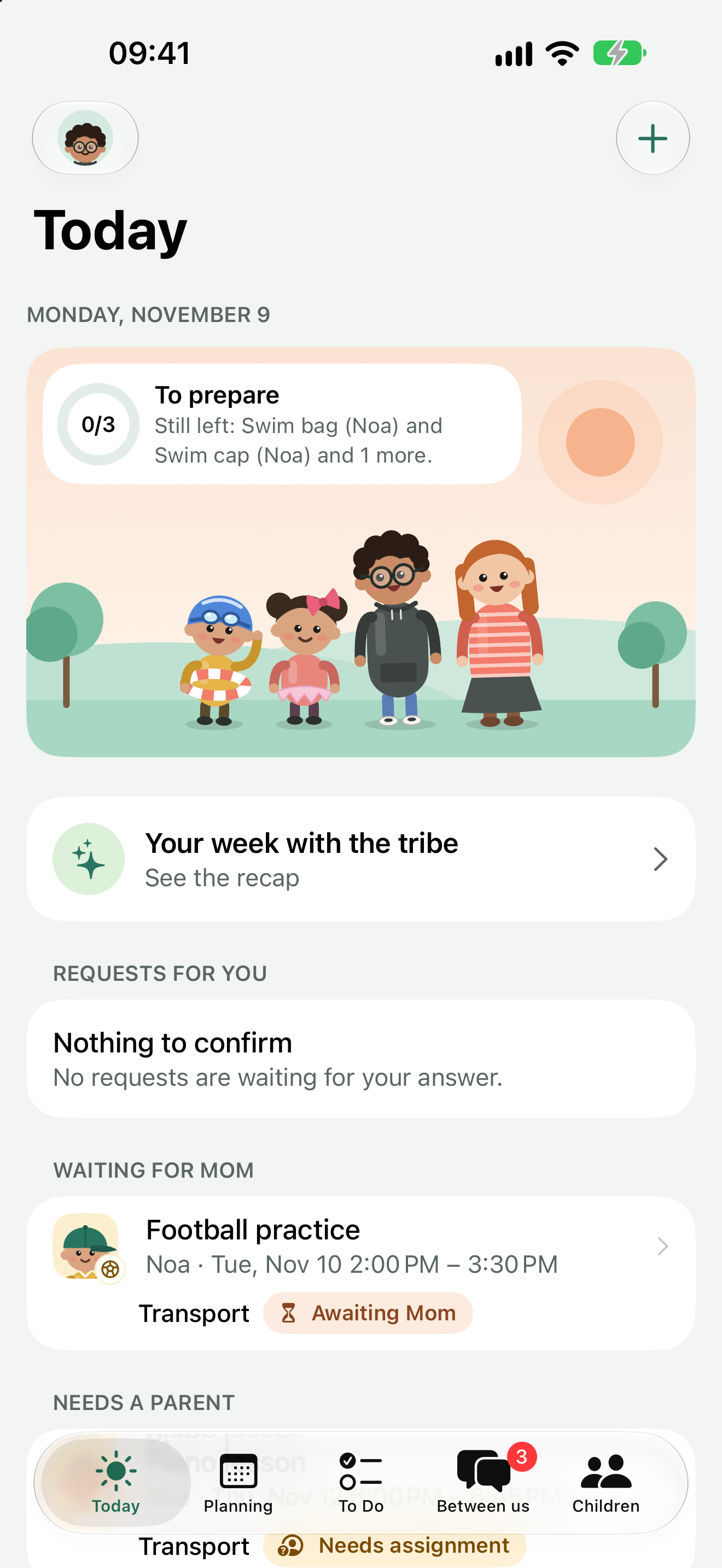
p. 1 · Monday 8:15 AM · Tonight's rides
Your kids' activities, rides, prep and to-dos in one place. Take a ride in one tap, or ask the other parent.
SwimmingNoa · 5:00 PM
Confirmed by Dad
DanceLou · 5:30 PM
Confirmed by Mom
p. 1 · Monday 8:15 AM · Tonight's rides
First month free · Coming soon to Android
A conversation just for the two of you, about an activity or a to-do. On a question, answer in one tap.
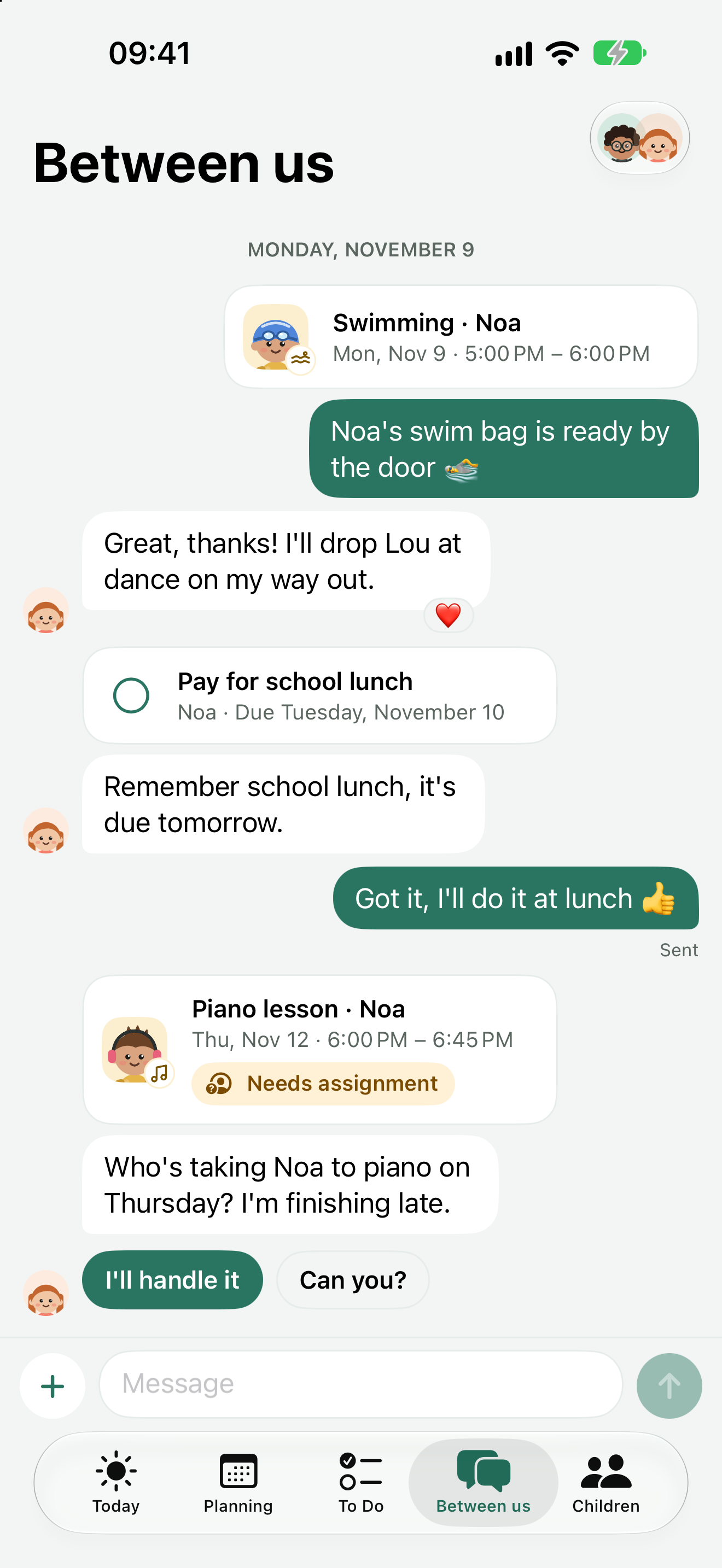
p. 2 · Monday 9:30 AM · Between us
A prep list for every activity: the swim bag, the cap, the birthday present. Checked off together, it updates for both parents, on iPhone and iPad.
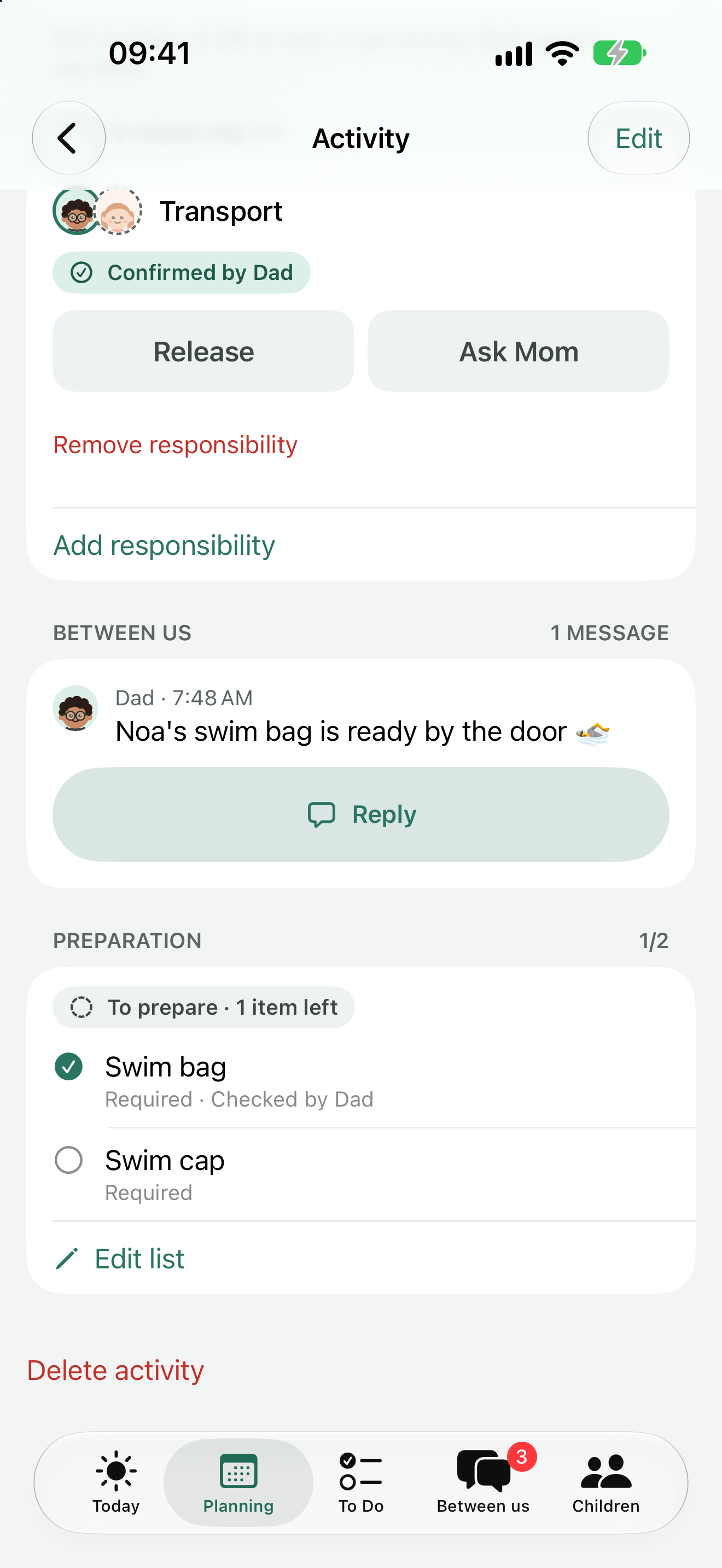
Swim cap missing!

p. 3 · Monday 4:40 PM · Before you go
Your kids' to-dos with their due dates, and an alert when one isn't done in time. What's awaiting an answer and what still needs a parent, together in To Do.

Sign the school notebook

Pay for school lunch
Bring back the field trip form
p. 4 · Tuesday · To Do
Dress up every family member: hair, glasses, outfit. Kids wear their activity’s outfit, from swim cap to tutu.




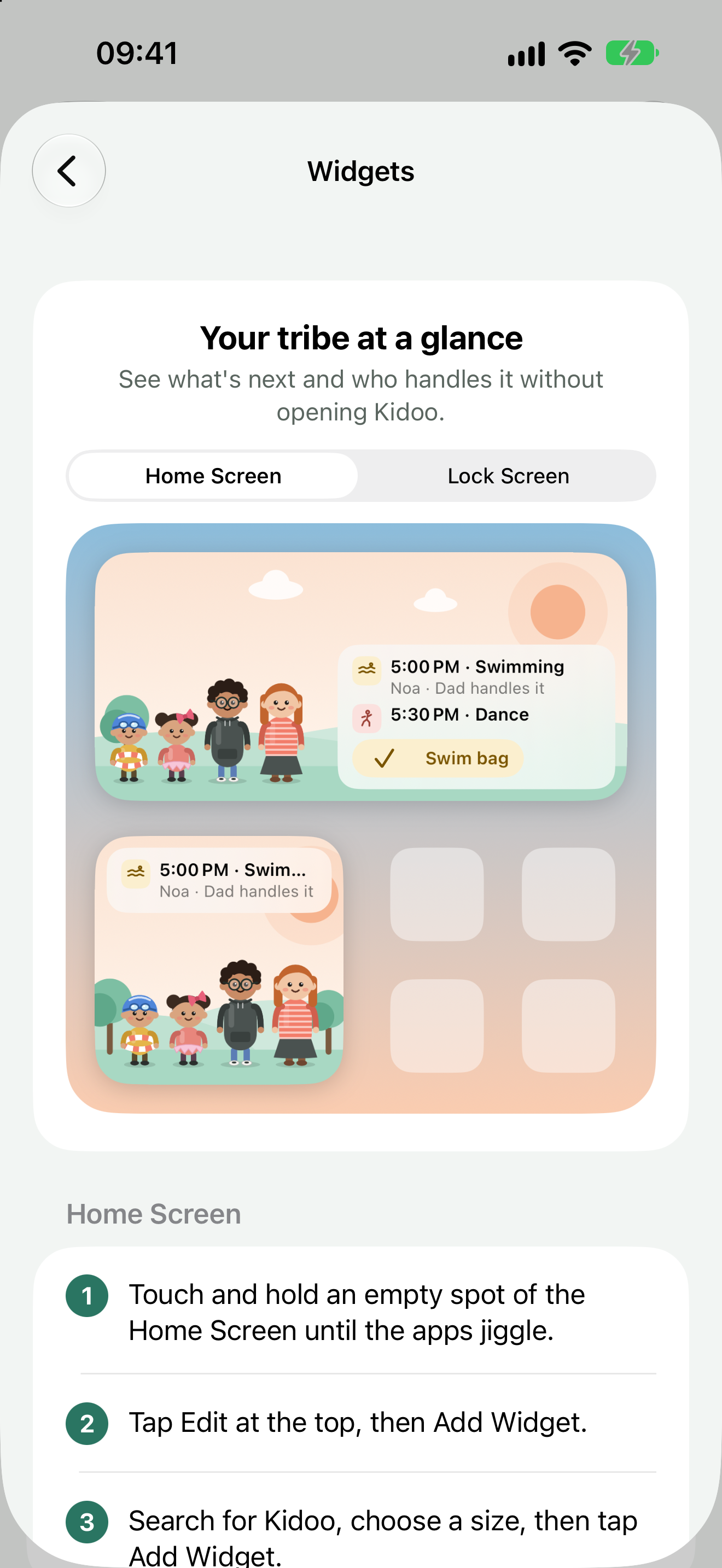
Widgets
On the Home Screen, the Lock Screen and in StandBy.
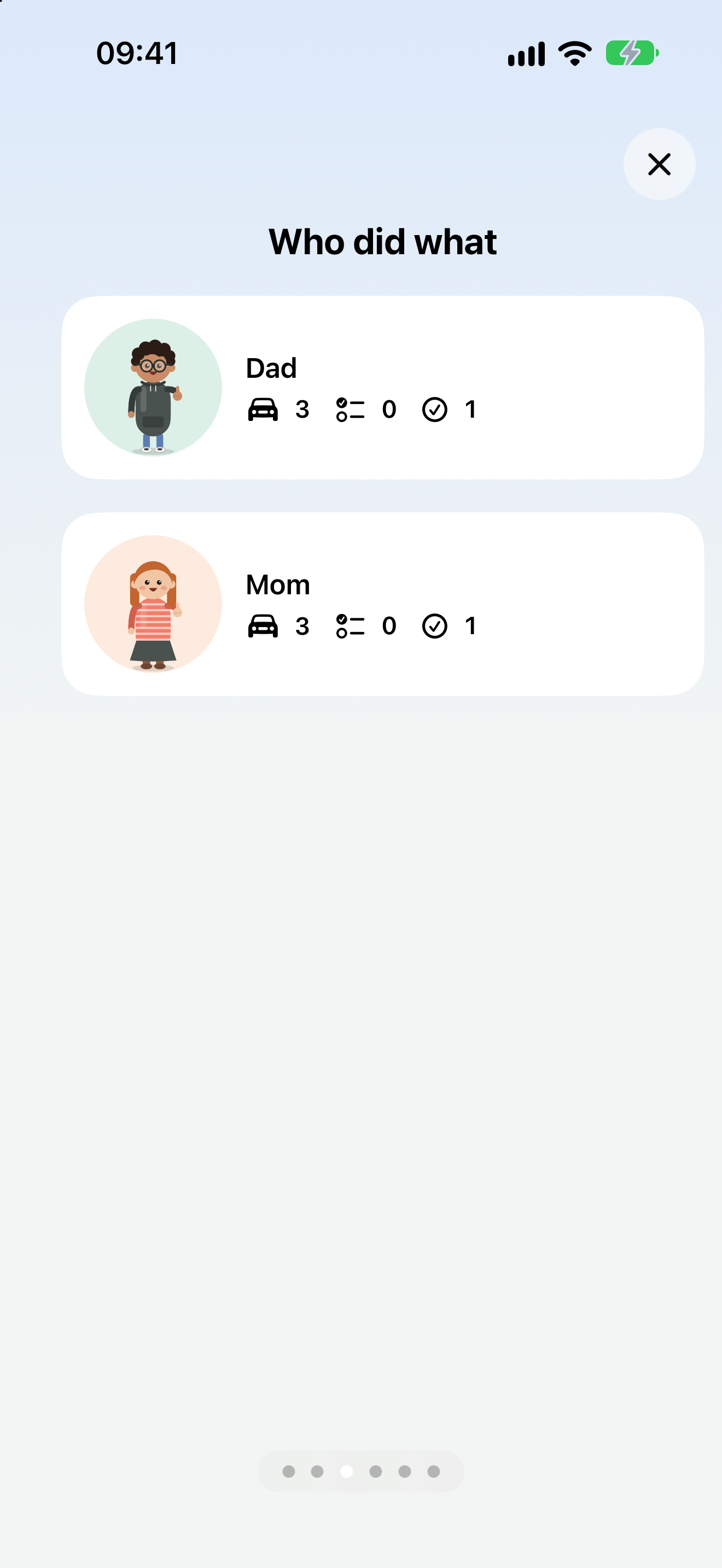
Sunday recap
Who did what this week, and what’s coming up.
“Hey Siri, what’s on tomorrow in Kidoo?”
Siri
Ask what’s planned today or tomorrow.
p. 5 · Sunday · The recap
Kidoo is available on iPhone and iPad: your kids’ week as an hour-by-hour grid, with who drives whom. The Android app is in the works.
Soon: one parent on iPhone, the other on Android, same family, same schedule.
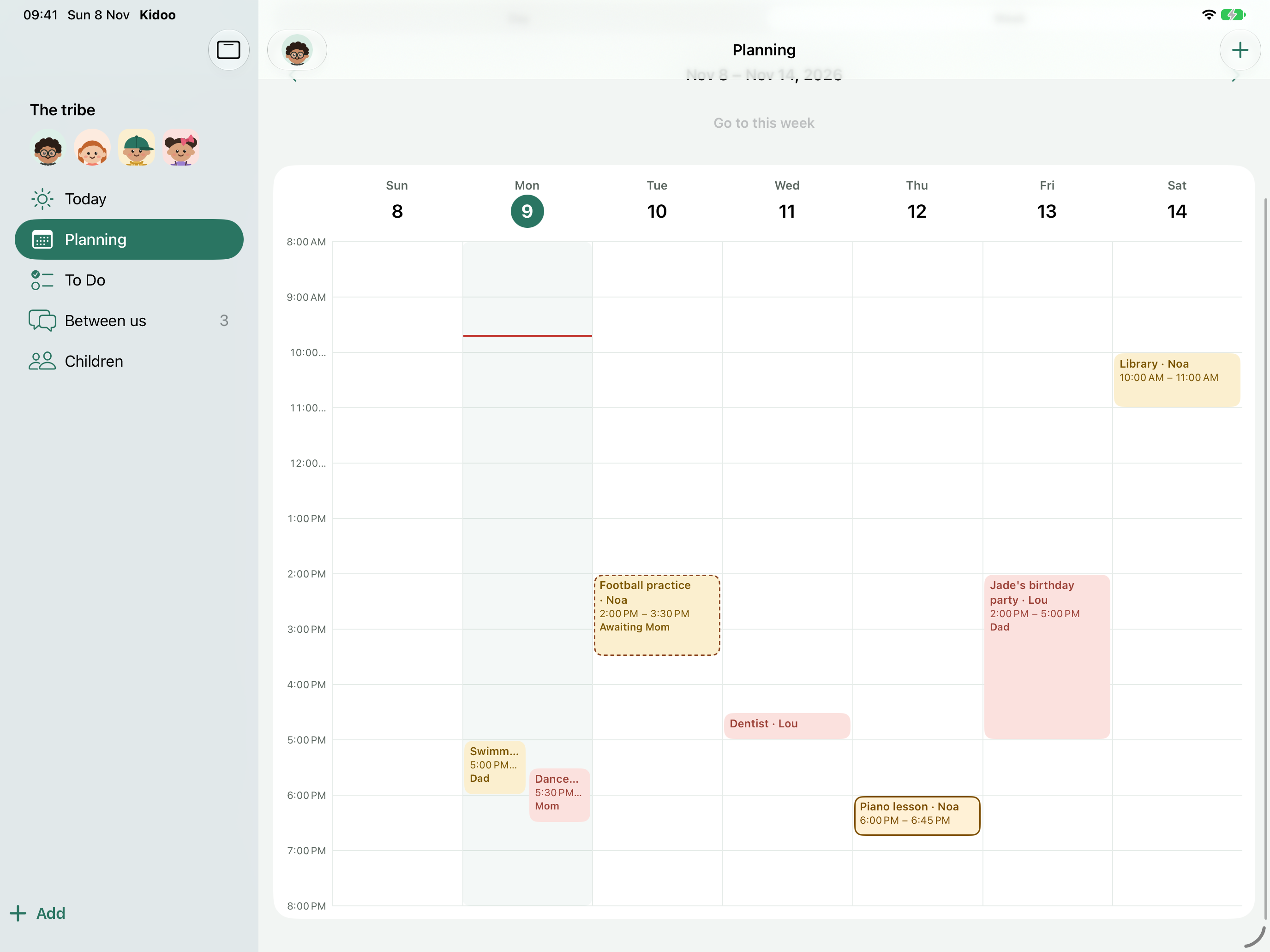
iPad Available
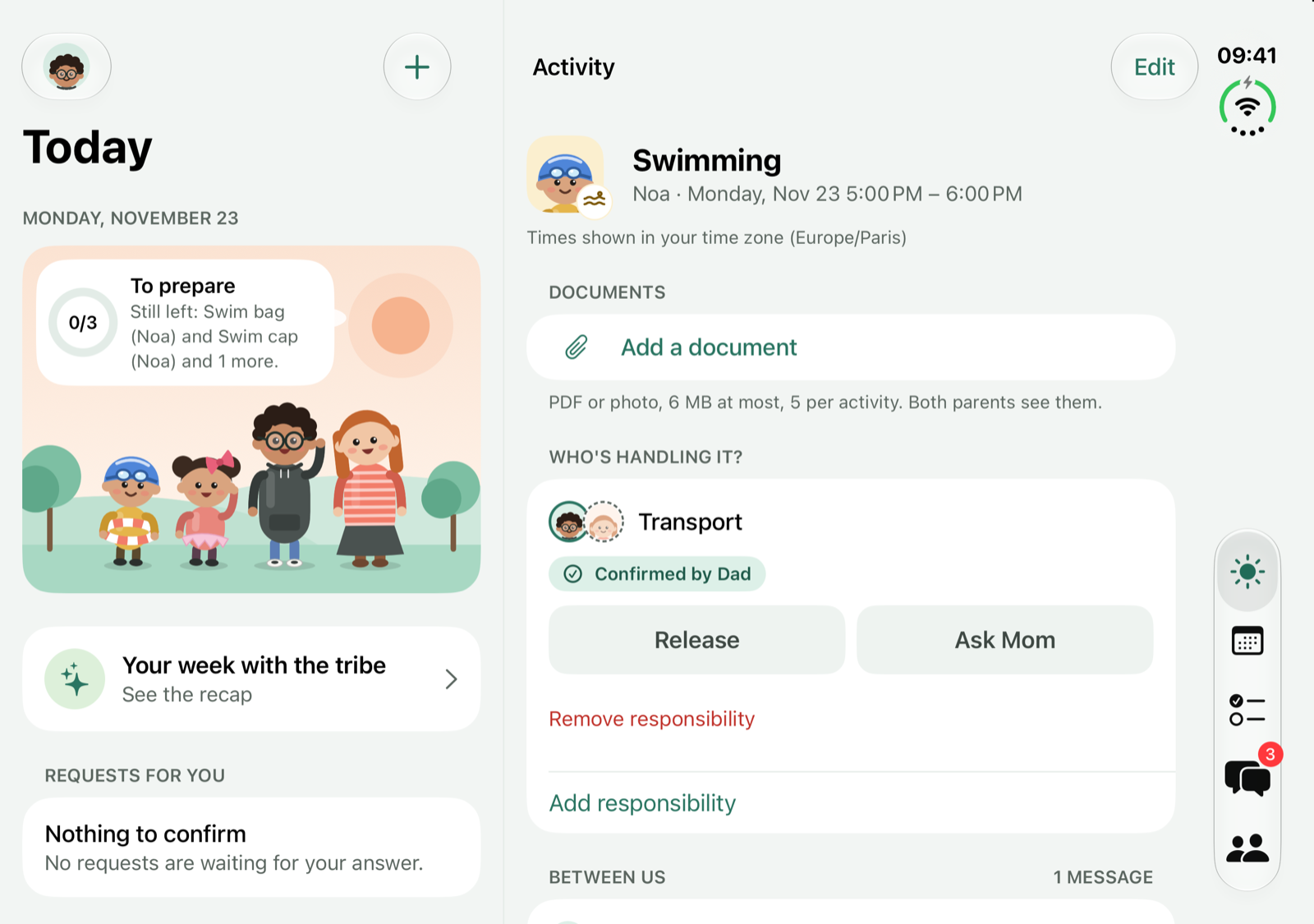
iPhone Duo New
Unfold it: Today shows the activity you pick beside the list, as on iPad.
iPhone
First month free
Android
Coming soon to Google Play
p. 6
p. 7
One subscription for the whole family: both parents get it.
Without an active subscription, everything stays visible in read-only mode and nothing is deleted.
The subscription renews automatically unless canceled at least 24 hours before the end of the current period. Payment is charged to your Apple Account at confirmation of purchase. Manage or cancel it in your Apple Account settings.
First month free
$14.99 a year
or $3.99 a month (or your local price)
Both parents, one subscription.
Download on the App Storep. 8
In the Children tab, "Invite the other parent" shows a code and a QR code. The other parent installs Kidoo, chooses "Join a family" and scans it.
Yes. A single parent can use every feature; the conversation and requests to the other parent appear once a second parent joins.
The Android app is in the works. It will join the same family as the iPhone and iPad, with the same schedule.
Choose $14.99 a year or $3.99 a month (or your local price). Without a subscription, everything stays visible in read-only mode: nothing is deleted.
Only your family. Kidoo has no advertising or analytics tools.
In Settings › Account › Delete my account, right in the app.
p. 9
Download Kidoo, invite the other parent, and your kids’ week fits on one page.
Download on the App StoreFirst month free · Coming soon to Android