Copy. Keep. Find it again.
A clipboard memory for the links, text and ideas that matter. Save your finds, organize them and bring them back when you need them. Keep your data local or choose to sync it with your Apple Account.
iPhone & iPad: coming soon
Keep what matters
Your links, text and code snippets in one organized memory, with the clutter left to expire.
-
Save on your terms
On iPhone and iPad, open the Share menu in an app that shares text or links and choose Clipdori, or paste into the app. On Mac, enable capture to save supported content as you copy it. Pause it at any time and exclude the apps you choose.
-
Find what matters
Browse spaces by category, search your saved content and filter your memory, favorites or temporary items. Star the things you use most. Temporary items expire automatically.
-
Your data, your choice
Use Clipdori locally or enable iCloud with Pro to reach your memory on your devices signed in to the same Apple Account. No Clipdori account to create and no Clipdori server storing your content. Optional link previews contact the relevant websites when enabled.
-
Reuse your text
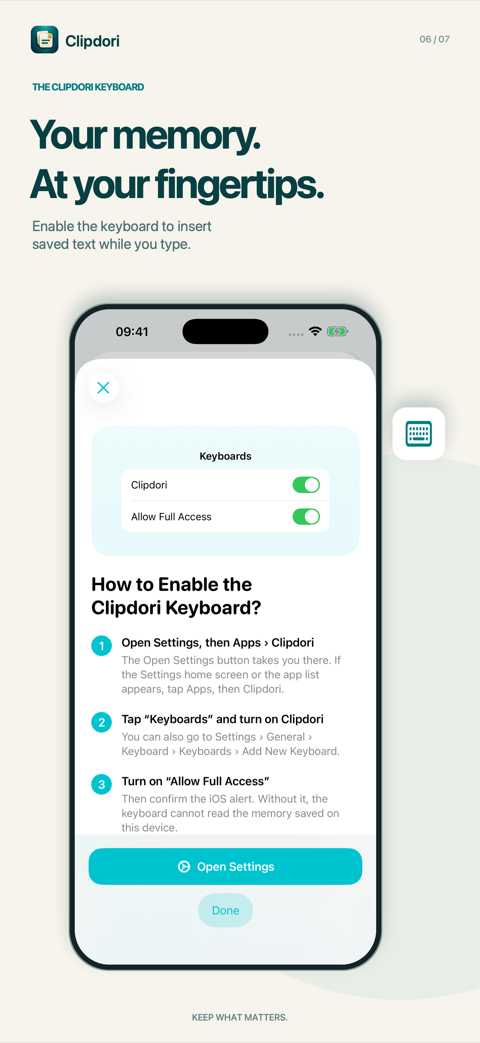
Copy an item or share it again. On iPhone and iPad, enable the Clipdori keyboard to insert saved text while you type. Full Access lets the keyboard read items shared by the app; the keyboard does not record your typing or connect to the internet.
Inside Clipdori
Screens from the app on iPhone and iPad.
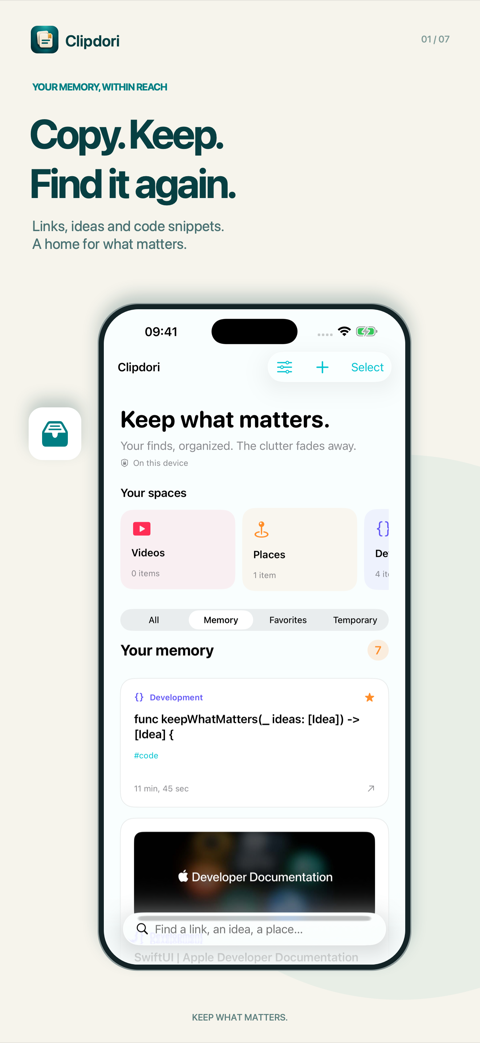
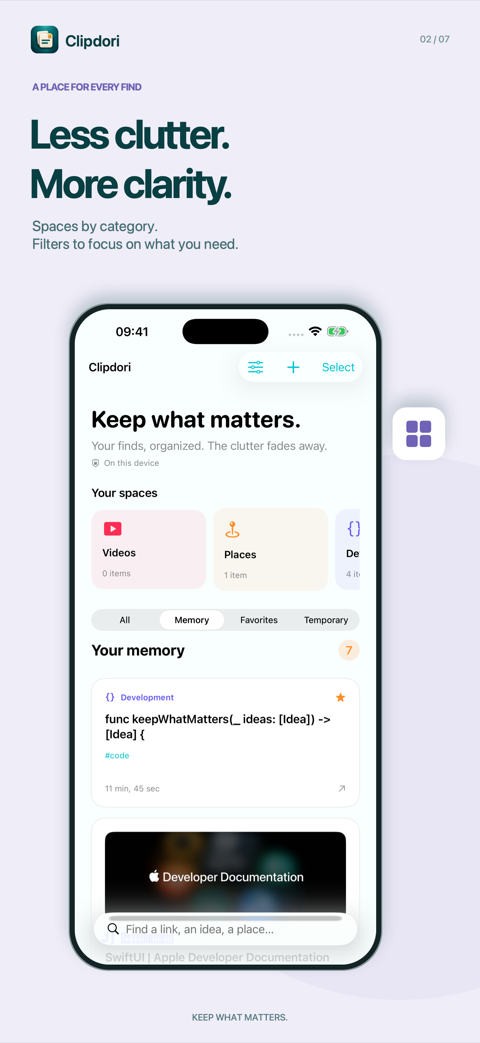
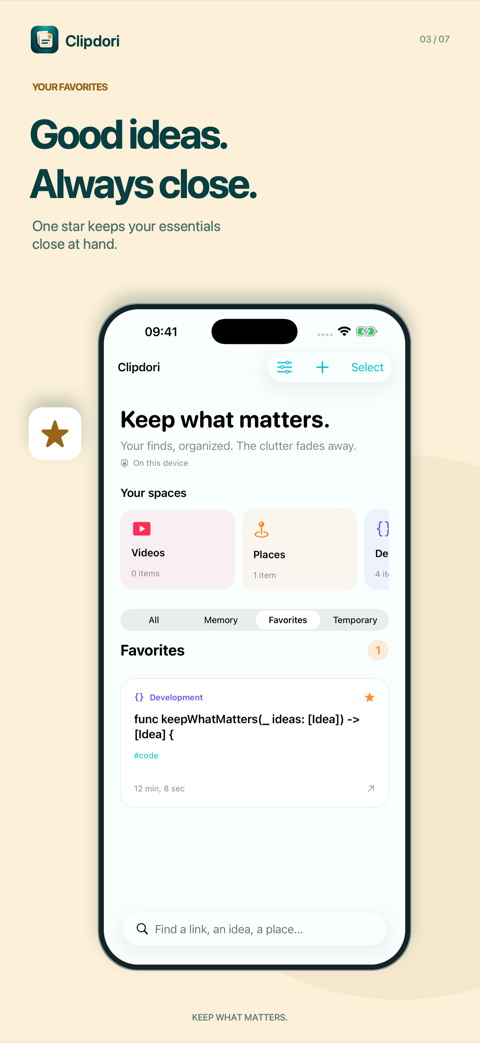
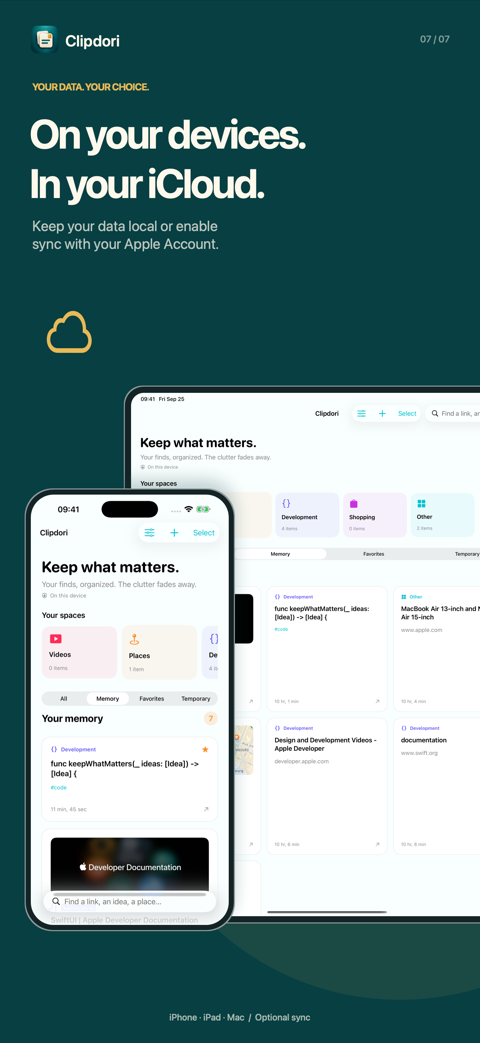
On iPhone, iPad and Mac
One memory, saved the way each device allows.
iPhone and iPad
Save through the Share menu, paste into the app or enable capture when you return to the app. Clipdori does not monitor the clipboard in the background on these devices. The keyboard is enabled in Settings.
Mac
Enable capture to keep supported content as you copy it, and reach Clipdori from the menu bar. Switch between a grid and a compact list. Clipdori captures text and links, not the underlying files, images or videos.
Free and Clipdori Pro
Free to download. Pro is a one-time purchase, with no subscription.
Free
- Up to 50 memory items, including favorites
- Unlimited temporary items
- The Clipdori keyboard on iPhone and iPad
At the limit, new content meant for memory is saved as temporary for 7 days.
Clipdori Pro
- Unlimited memory
- iCloud sync across your devices
- One lifetime purchase for iPhone, iPad and Mac with the same Apple Account
- Family Sharing support
The price is shown in the app before purchase. Restore your purchase from Settings → Clipdori Pro.